
Nudge / Features
FeaturesEverything Nudge does, and why.
Every feature exists for one reason: so the reminder reaches you, at the right time, in a way you can act on.
Natural typing
Write reminders in everyday English or Hinglish. "kal subah 7 baje dawai" just works.
Confirm before saving
Nudge shows exactly when it will remind you, and asks when something is unclear, so nothing is saved by guesswork.
Repeats done right
Daily, weekly, monthly or yearly. "Every month on the 31st" rings on the last day of shorter months.
Rings offline
Alarms are set on your phone, so they ring on time without the internet and survive a restart.
Done or snooze anywhere
Tap Done, 10 min or 1 hour right from the notification. No need to open the app.
Must not miss, on WhatsApp
For medicines, bills and deadlines: if you have not responded within about a minute, the reminder follows you to WhatsApp.
Private reminders
Mark a reminder Private and its text never shows on the lock screen or goes to WhatsApp, only a note that a private reminder is due.
Phone health check
Nudge checks notifications, exact alarms and battery settings, and gives a one-step fix if reminders could be delayed.
Travel-aware
One-off reminders keep their exact time. Repeating ones follow your home time zone, and Nudge asks before switching it.
A list that tells you what needs you
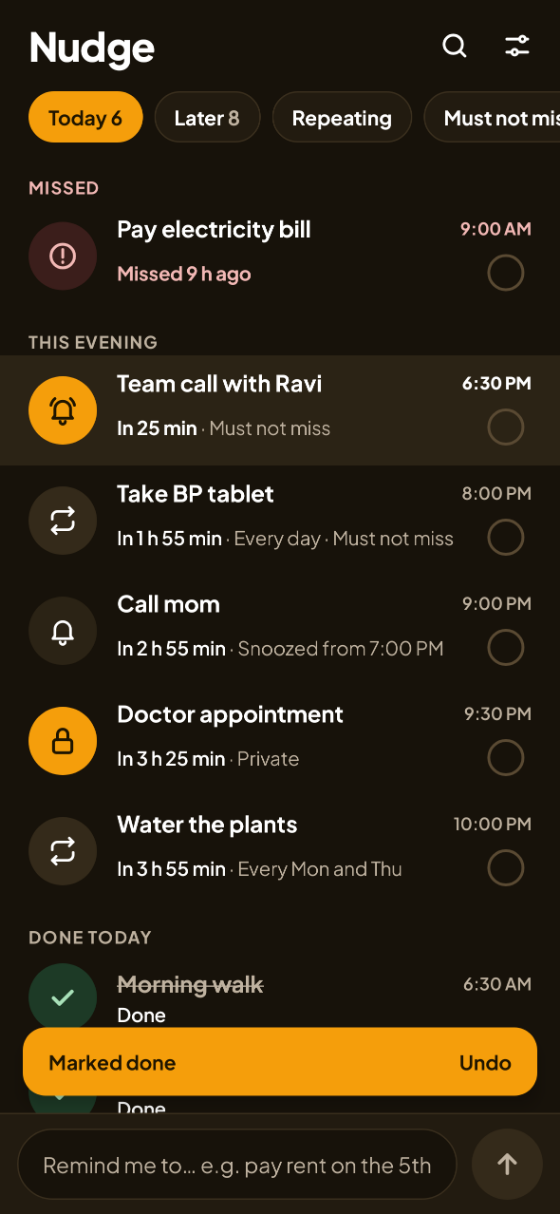
Today shows what you missed, what is next, and what you have already done. Repeated misses of the same reminder are grouped into one row, so the list stays clear.
- Filters for Today, Later, Repeating and Must not miss
- Search across all your reminders
- Swipe right to mark done, swipe left to snooze, with Undo
- Times shown the way you think: "In 25 min", "Tomorrow"
One line in, the right reminder out
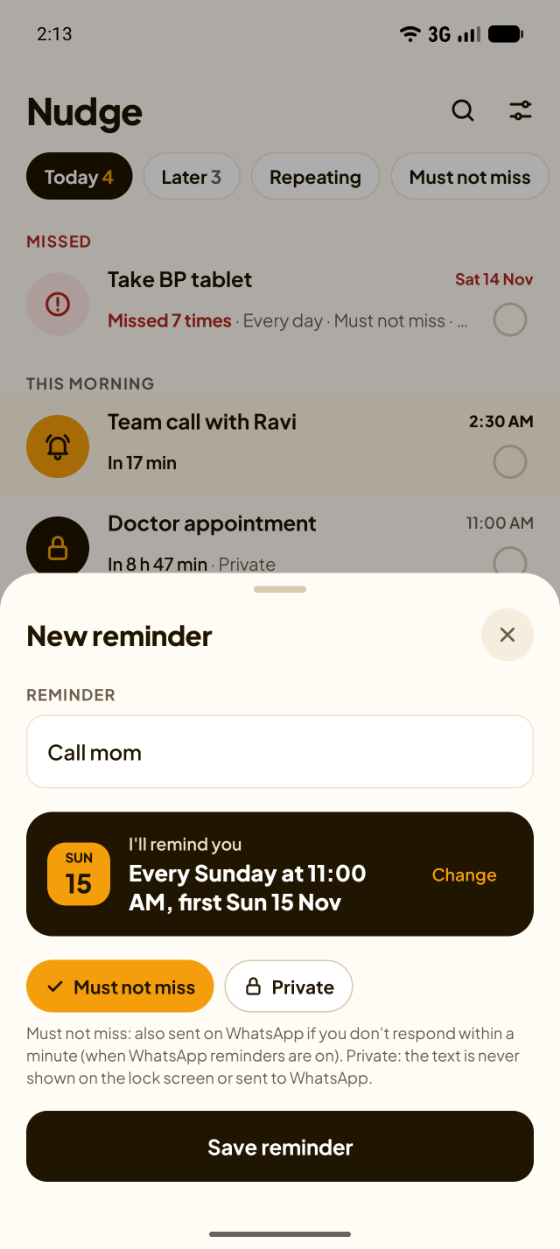
Type a reminder and Nudge fills in the date, the time and the repeat. Check it, change it if needed, and choose how important it is.
- Must not miss: also sent on WhatsApp if you do not respond
- Private: the text is never shown on the lock screen
- Change the time with a tap if Nudge read it differently
Sign in with WhatsApp. No passwords.
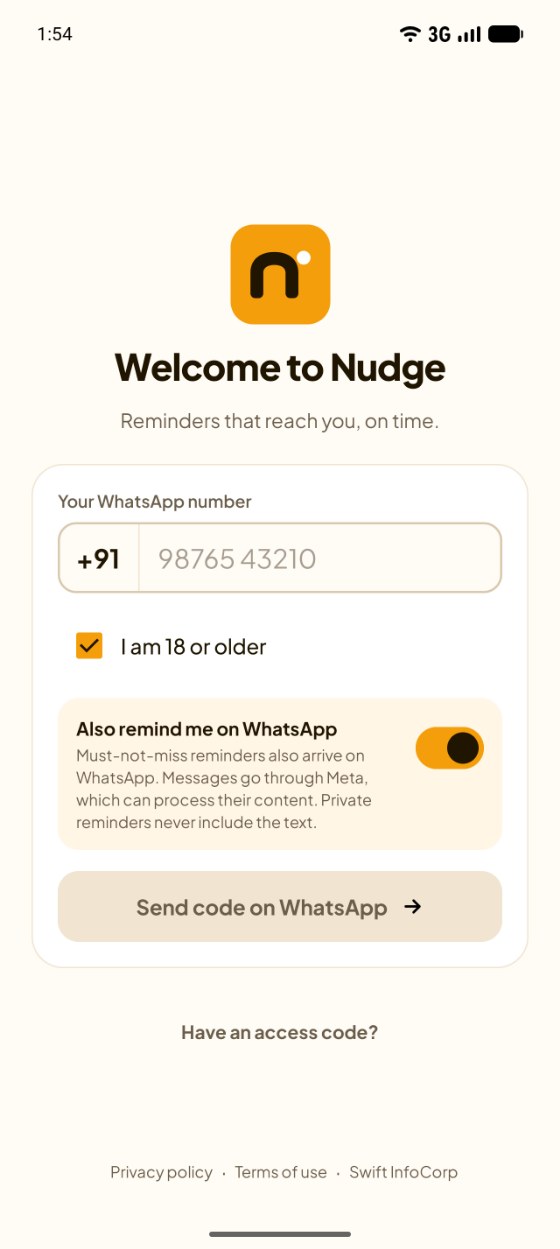
Enter your WhatsApp number and Nudge sends you a code there. You choose whether you want WhatsApp reminders, and can change it any time in Settings.
- No passwords to remember, no SMS codes
- For people aged 18 and over
- WhatsApp reminders are optional
Be one of the first to use Nudge
Nudge is in a small pilot on Android. Write to us and we'll invite you to the test.