
Nudge / How it works
How it worksHow Nudge makes sure you don't miss it.
Three steps for you. Behind them, several layers of delivery, so one failure does not mean a missed reminder.
Type it
"Pay rent on the 5th", "gym every Monday 7am". One line, the way you would say it.
Check and save
Nudge shows the exact date, time and repeat. Mark it Must not miss or Private if you want.
Get reminded
Your phone rings at the minute. Tap Done, 10 min or 1 hour right from the notification.
What happens, minute by minute
At the exact minute
The alarm set on your phone rings with a notification. It works offline, because it does not wait for the internet.
About a minute later
If it is a must-not-miss reminder, you have not responded, and WhatsApp reminders are on, Nudge sends it to your WhatsApp with Done and Snooze buttons.
If it is private
The notification and the WhatsApp message only say that you have a private reminder. The text stays in the app.
If you still miss it
It stays under Missed in your Today list until you mark it done, so it is never silently lost.
Reliable on real phones, not just in theory
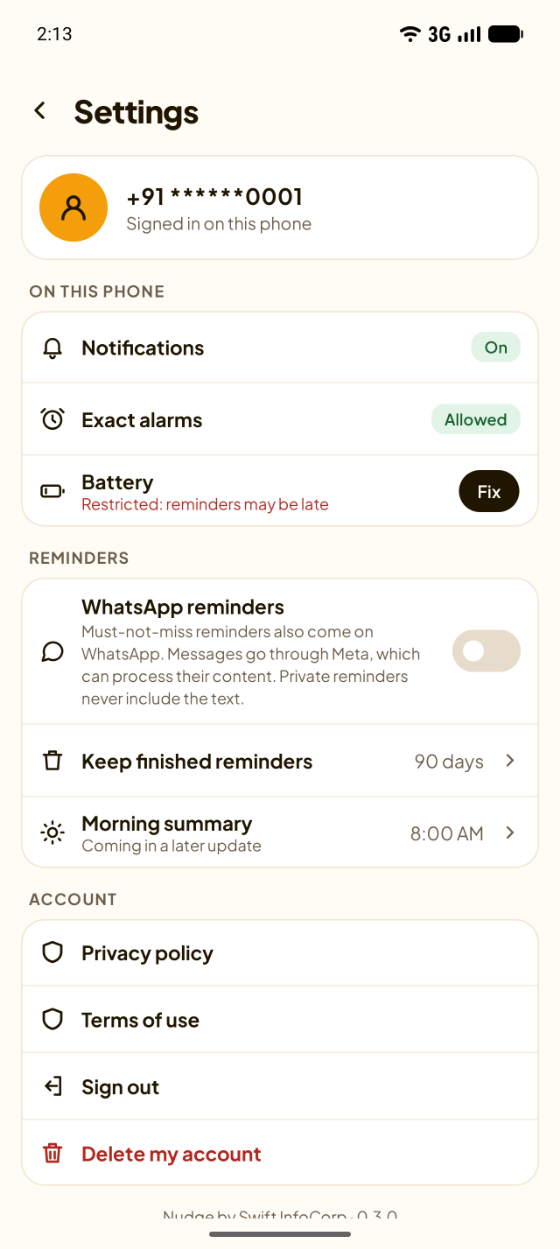
Many phones stop apps in the background to save battery. Nudge is built to work with that, and to tell you when your settings get in the way.
- Reminders are set again automatically after your phone restarts
- Nudge checks notifications, exact alarms and battery restrictions
- A one-step Fix button takes you to the right setting
- Tested on phones with aggressive battery savers
You stay in control of WhatsApp messages
Optional
WhatsApp reminders are off unless you turn them on, at sign-in or later in Settings.
Act from the chat
Tap Done or Snooze inside WhatsApp. Nudge updates the reminder in the app.
Stop any time
Switch WhatsApp reminders off in Settings, or reply STOP to Nudge on WhatsApp. Reply START to turn them back on.
Be one of the first to use Nudge
Nudge is in a small pilot on Android. Write to us and we'll invite you to the test.